Solve it once. It stays solved.
Work out how a job should be done, declare it, and stop repeating it computer by computer. When something goes wrong, the session shows what ran, what the computer answered and where it stopped.
Declare, do not repeat
Turn the fix into a deployment. Overseer applies it to every computer the target covers.
Sessions you can read
Each maintenance action shows what ran, what the computer answered and where a failed session stopped.
PowerShell where it helps
Tasks and scripts are PowerShell. Write your own in the Script Editor or start from a built-in one.
Exceptions without damage
Give one computer its exception, or mark an item Ignored there, and the standard holds for the rest.
The same job, one computer at a time.
- Installing by hand, againEvery new computer gets the same software, installed in the same order, by you.
- Scripts with no memoryA script runs and exits. Whether it worked, and still holds later, is yours to find out.
- Failures without a traceSomething did not install. There is no output to read, so you connect and start from the beginning.
- Exceptions that break the ruleOne computer needs something different, so the rule is edited for everyone or quietly abandoned.
Declare the outcome. Read the result.
- Detection before actionA session reads the computer first, then does only the work that computer needs.
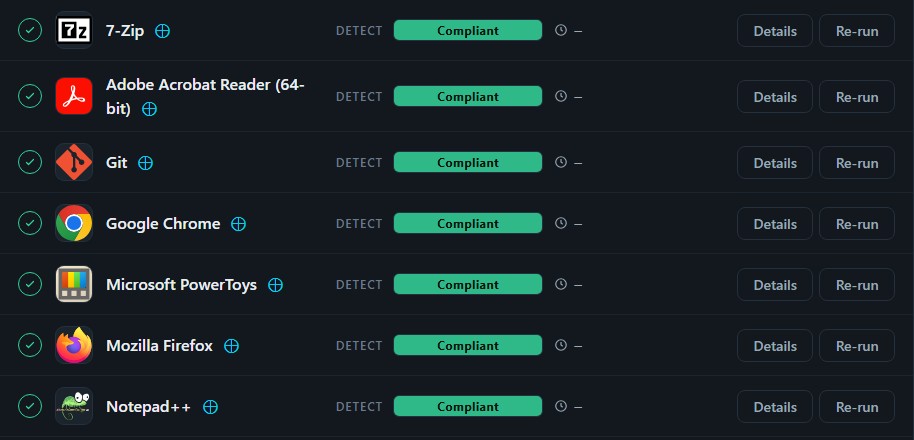
- Checked after every actionThe computer is read again after each action. An item is Compliant only when that check passes.
- Re-run when it is fixedFind the cause in the session, correct it, and press Re-run. Required deployments apply again at every maintenance session.
- Offline is not failureA session for a computer that cannot be reached waits as pending and resumes when it reconnects.
Where it fits. In a technician’s day.
A new computer
The computer gets the agent and its client, and the first maintenance session does the setup.
A ticket comes in
Open the computer and press Run maintenance. It runs immediately, whatever the maintenance window.
A fix worth keeping
Write it as a task in the Script Editor and deploy it to every computer that needs it.
The work stays done.
Once a job is declared, Overseer checks it at every maintenance session and corrects it where it has slipped. The sessions that need a person are marked Partial passed or Failed.
In development. Launch inquiries welcome.
Overseer is still being built and is not available yet. If you would like to hear when it launches, get in touch.