Say what should be true. Overseer keeps it true.
Overseer is a desired-state engine. It is not a script runner, and it does not replace your remote management tool. You write down the standard once; Overseer compares every computer with it, corrects whatever has drifted and checks the result — again and again, for as long as the computer is yours to look after.
Choose what to install, update, remove or configure, and who it applies to.
A read-only pass lists every gap between the computer and the standard.
Overseer closes exactly those gaps, at the time you choose.
The computer is read again. Compliant means the check passed.
Tell Overseer what every computer should look like.
A deployment is a statement, not a job: this application should be installed here, this setting should hold there. Overseer works out what each computer needs from its client, its tags and its own exceptions, and has that picture ready before the computer is ever touched.
- •A client’s rule can override the standard for every client
- •An exception for one computer stays with that computer
- •A new computer starts with its full standard already worked out

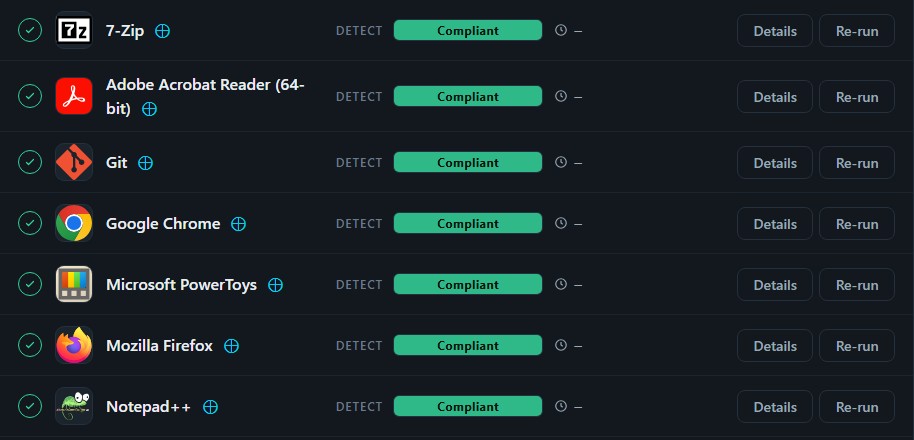
Read the computer, not a report about it.
Every maintenance session opens with a detection pass. Overseer asks the computer itself what is installed and how it is set, compares the answer with the standard, and writes down each difference. Nothing is changed and the person at the keyboard is not interrupted.
- •Read-only, so it is safe to run in working hours
- •Finds missing software, old versions and settings that have moved
- •Gives time to tell people what is coming, and to let them postpone
Installs, updates, removals and restarts, handled.
Once Overseer knows what is different, it turns the list into work: missing software goes on, old versions are brought up, what should not be there comes off. It happens inside the maintenance window you set — or immediately, when someone presses Run.
- •Actions run in the right order, with what they depend on first
- •Every action is recorded with its time and its output
- •Restarts follow your restart rules, with notice to the person using the computer


An installer finishing is not the finish line.
After each action Overseer runs the same check it started with. Only when the computer itself confirms the change is the item marked compliant. The session is then kept in full, so anyone on the team can see what was done and how it ended.
- •The result is confirmed on the computer, not assumed
- •A failure is shown as a failure, with the detail to act on
- •Logs carry times and are easy to go back to
Day one is easy. Month six is the problem.
A computer set up correctly does not stay that way. People remove things. Updates are missed. Settings change. A security agent goes quiet. Usually nobody notices until it causes trouble, and checking by hand does not scale past a handful of machines. The only answer that holds is a system that keeps checking and keeps correcting.
Whichever seat you sit in.
One standard for every client, and the record that shows it was met.
Every computer gets the same quality of setup and upkeep, whoever is on shift that day.
For owners →Do the job once. Declare it. Stop repeating it machine by machine.
Write the deployment once; Overseer carries it out the same way on every computer it applies to.
For technicians →In development. Launch inquiries welcome.
Overseer is still being built and is not available yet. If you would like to hear when it launches, get in touch.