One run per computer. Every action on record.
A maintenance session is one complete, ordered pass over one computer. Overseer reads the computer, acts where it differs from what you declared, then reads it again to verify. One run you can watch takes the place of scattered jobs on separate timetables.
One ordered pass
Everything that applies to a computer is handled in a single session, in a set order, not as separate jobs.
Read before acting
Detection reads the computer and changes nothing. Execution acts only on the items that differ.
Verified after acting
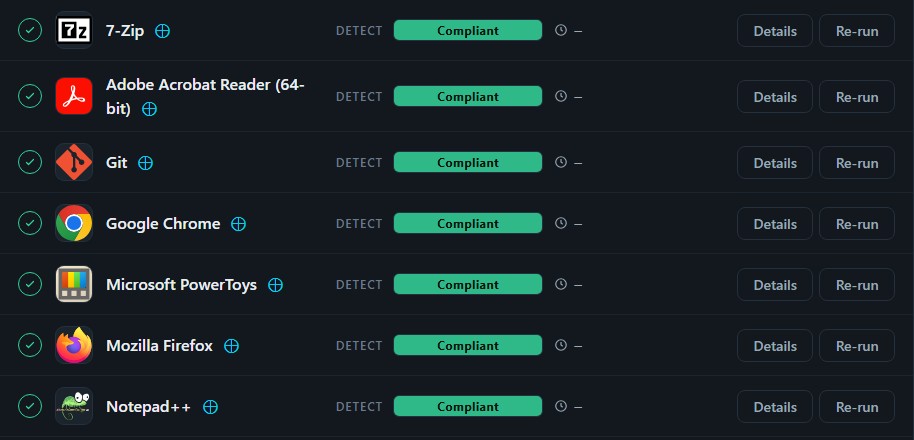
After each action the computer is read again. An item is Compliant only when that check passes.
Run it now
Press Run maintenance on a computer and the session starts immediately, whether or not a maintenance window is open.
Scattered jobs leave nobody sure what happened.
- Jobs on separate timetablesPatching runs one night, software updates another and scripts whenever somebody remembers. None knows about the others.
- Scripts that report nothingA script is sent, it finishes, and nobody learns whether the computer ended up right.
- Failures found by the userThe first sign that something went wrong is a ticket from the person using the computer.
- No account of what changedWhen somebody asks what was done to a computer, the answer is spread across several tools.
One session does the whole job, in order.
- Required deployments, every sessionEach session applies every Required deployment aimed at the computer. Software taken off is put back; changed settings are corrected.
- An order you setDecide what runs at the start, in the middle and at the end, so items that depend on others come last.
- Preflight firstPreflight scripts run at the start of every session and can hold it, for example while Windows is installing updates.
- Offline is not failureA session for a computer that cannot be reached waits as pending and resumes when the computer reconnects.
Detect. Act. Verify. In that order.
Detection
Overseer finds the deployments that apply and reads the computer. Nothing is changed.
Execution
One maintenance action is carried out for each item that differs, in order.
Verification
The computer is read again after each action, and the session is given its outcome.
Several ways in. The same run each time.
| Started by | When it runs | Restarts | Good for |
|---|---|---|---|
| A schedule | On its timetable, inside the maintenance window | Follow the restart policy | Routine upkeep across a client |
| Run maintenance on one computer | Immediately, window or not | You choose: none, if needed, or always | A computer that needs attention now |
| Batch actions on several computers | Immediately, for each computer selected | You choose when you start it | A fix several computers need today |
| Onboarding | Once, when a computer is first set up | Handled by the session | Taking a new computer to ready |
Then read the record.
Every session stays on the Sessions screen with its actions, results, timings and output. Filter by status, computer, client or date to find what was done and when.
In development. Launch inquiries welcome.
Overseer is still being built and is not available yet. If you would like to hear when it launches, get in touch.