Maintenance sessions
A maintenance session is one complete pass over one computer: Overseer works out what should be true, reads what is true, closes the gap and checks its own work.
What a maintenance session is
Most tools change a computer in separate pieces, each on its own timetable: operating system updates one night, application updates another, a fix whenever an alert happens to fire. Nobody can say for certain what will run on a given machine, or when.
Overseer puts all of that work into a single ordered run. Everything that applies to the computer is worked out together, carried out in sequence and reported in one place. That gives you control over two things at once: what changes, and when it changes.
The same run sets up a brand-new computer and keeps an old one in line. Onboarding is a maintenance session that happens to find everything missing.
What happens in a session
- 1Finds every deployment that applies to this computer.
- 2Reads the computer to see what is actually there.
- 3Builds a plan: one action for each thing that needs to change.
- 4Carries out the plan, one action at a time, in order.
- 5Reads the computer again to confirm each change took.
- 6Reports the result of the whole session.
Stages
Detection
Detection decides which actions the session needs. It only reads; nothing on the computer is changed. Because it is harmless it can run during the working day, which leaves time to tell the person using the computer what is coming and, where your policy allows it, to let them postpone.
Execution
Execution carries out the actions detection found. It runs inside the maintenance window you set, or straight away when a person starts the session by hand. After each action the computer is read again, and the action is only marked compliant when that check passes.
Maintenance actions
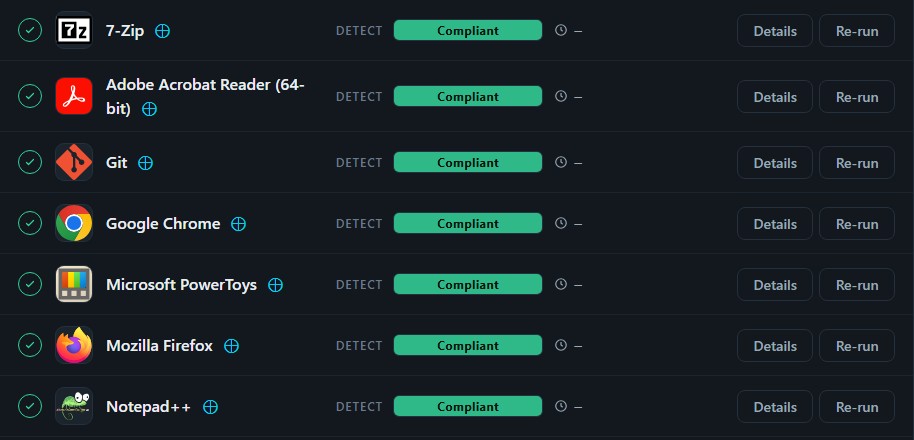
A session is made up of actions. An action is one piece of work on one item: install an application, apply an update, remove something that should not be there, or run a task. Each action shows what was asked for, what the computer answered and how it ended.
| Desired state | What the action does |
|---|---|
| Installed | Installs the item if it is missing and updates it if it is old. |
| Updated if Found | Updates the item where it already exists; never installs it fresh. |
| Uninstalled | Removes the item if it is present. |
| Ignored | Leaves the item alone on this computer. |
Starting a session
- By hand. Press Run maintenance on a computer, or select several computers and use Batch actions.
- On a schedule. A schedule starts sessions for the computers it targets at the times you choose.
- At onboarding. A new computer gets its first session as part of being brought in.
When the computer is offline
A session for a computer that cannot be reached does not fail and does not guess. It waits, shown as pending, and carries on from where it stopped when the computer comes back.
Finding your sessions
Every session for every computer is listed under Sessions. A computer’s own page lists only its sessions. Open any session to read its actions, its log and its stages.
