Creating and managing users
Overseer separates people, who are records, from users, who are people allowed to work in Overseer. This page covers how someone gains access, how to manage both kinds of record, and how to keep access under control.
People and users
Overseer keeps two kinds of record, and the difference matters.
- A person is someone Overseer knows about. People are who you choose from when you name the primary user of a computer you are setting up. Most people arrive by synchronisation from your identity provider, client by client.
- A user is a person who has been granted access to Overseer, with a role that sets what they can see and do.
Every user is a person. Most people are never users. The staff at a client's office are people, so that their computers can be set up for them, but only those you choose can open Overseer.
Granting access to a new user
Nobody gains access without an Administrator granting it. Accounts themselves are managed in the suite's Settings.
Choose a role for the person when you grant access. The role decides what they can see and do.
The person can work in Overseer from that point, within the limits of the role.
Managing people
Open Show more, then People.
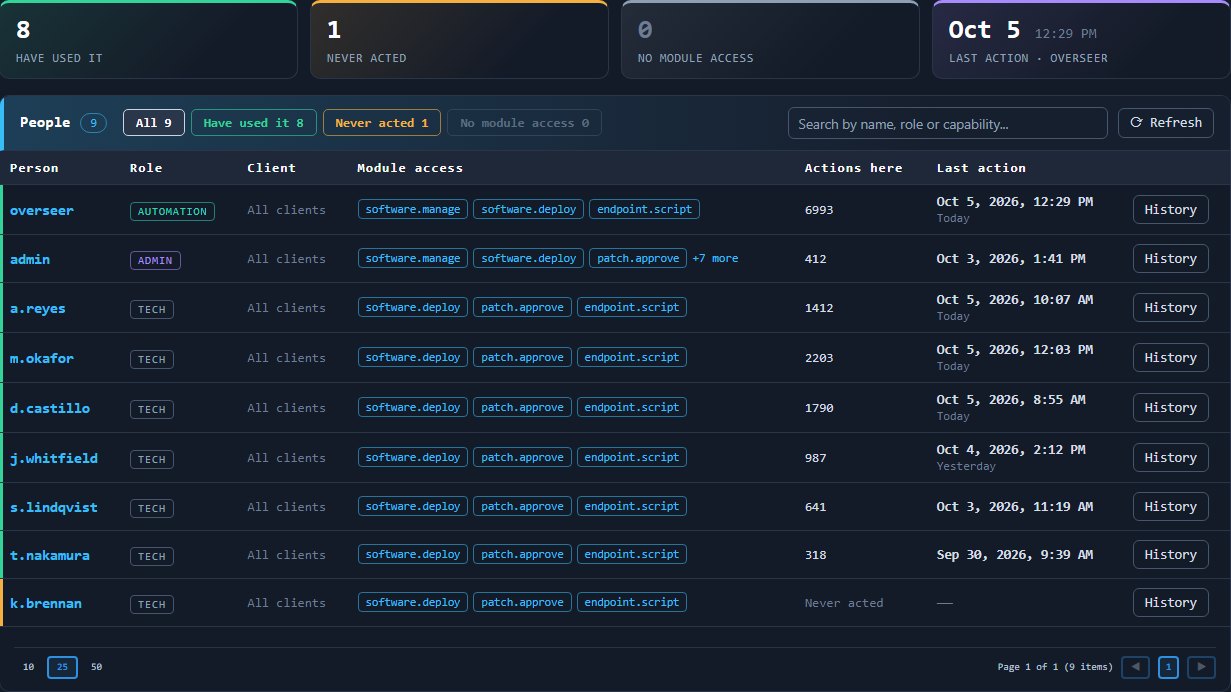
The screen lists every person Overseer knows about. Open a person and press Edit to change their record.
Tags are the main thing to set here. A tag is a label used for targeting and filtering.
Managing users
Open a user's record and press Edit to change their access.
- Set an expiry. Give access an end date. This suits contractors and temporary cover, and it means the access ends without anyone having to remember.
- Change role. Move the person to a different role as their job changes.
- View as the user. Where this is enabled, an administrator can see Overseer as that user sees it, which helps when you are checking a role or answering a question. The audit log records that the session was carried out on the user's behalf, and by whom.
Keeping access under control
- Grant the least that works. Give each user the smallest set of capabilities their job needs.
- Use roles, not one-off grants. Roles keep access consistent between people who do the same job.
- Remove access promptly. When someone leaves, end their access as soon as they go.
- Review regularly. Read through your users and their roles at set intervals, and remove what is no longer needed.
- Record the reason. Keep a note of who has access and why. The audit log records who did what, when and on whose authority, which makes this review easier.